


FleetworthyGO (Drivewyze)
2.7902.00 Reviews
App Specs
- Version
- 6.0.2
- Updated On
- License
- Free
- Downloads
- 500,000+
- Developer
- Drivewyze Inc.
- Categories
- Maps & Navigation
- Platform
- Android
Screenshots
 Analysis by AppCompare
When weigh stations, route constraints, and long hours all compete for a trucker’s attention, a tool that focuses on those specific tasks can be more useful than another general map. I see Drivewyze: Tools for Truckers as a specialist companion for commercial drivers: its appeal is less about replacing navigation and more about helping with bypass opportunities and safety alerts along a haul. That focus is useful, but it also means the app makes the most sense when its services match the routes and needs you actually have.
Where the app fits in a trucker’s toolkit
Drivewyze is a free Maps & Navigation app from Drivewyze Inc. Its store summary points to two central jobs—safety alerts and weigh-station bypass—and that narrower purpose is worth keeping in mind. It is not a reason to discard a route planner or a fleet’s existing procedures. I would treat it as an additional source of in-cab information, then judge its value by whether it helps with the particular corridors and work patterns I drive.
The app has a 3.2 average from around 1.9K ratings, with roughly 857 written reviews and over 100K installs. Those figures suggest a product that has found a real audience, alongside mixed experiences. I would not read the rating as proof that it will work equally well for every driver; with a specialist road tool, route coverage, vehicle details, connectivity, and expectations can all affect whether the experience feels worthwhile.
Who is likely to get the most from it
The clearest fit is a commercial driver who regularly travels roads where weigh-station bypass notifications and truck-focused safety information are relevant. Someone who repeats regional routes may have a practical way to assess whether the app earns a place in their routine: use it alongside the tools they already trust, note when its alerts are useful, and avoid relying on a single app as the sole source for compliance or navigation decisions.
It may be less compelling for a driver whose work rarely takes them near weigh stations, who only makes occasional short trips, or who already has an approved in-cab setup that covers the same needs. A general navigation app is still the better choice for ordinary point-to-point directions, while a company’s dispatch or compliance system should remain the authority for its own operating procedures. I would add Drivewyze when it addresses a specific gap, not simply because another trucking app is available.
Putting alerts into a real workday
Imagine starting a long delivery run with a route you know only in part. A useful routine is to set up the account and vehicle profile before moving, check that the app is ready, and then keep attention on the road rather than trying to manage settings while driving. As the trip progresses, an approaching alert can serve as a prompt to prepare, not as an instruction to make a last-second lane change or assume that a stop is unnecessary.
That distinction matters for bypass tools. A notification is helpful only when the driver can understand it safely and respond in line with current signs, instructions, and applicable requirements. I would keep following posted directions and established company policy even when an app presents a bypass opportunity. The practical benefit is better awareness and potentially less time spent at eligible stops—not permission to ignore official instructions.
Worth Reading Before You Choose

EA SPORTS FC Mobile 26 Is a Bigger Football Game, but It Takes Time

Flipboard Shows What News Apps Must Do Beyond the Feed

Switching to Android Auto Means Rethinking Your Driving Routine

Google Calendar Makes a Crowded Week Easier to Manage

Ludo King Makes the Most of the Minutes Between Plans

Baby Panda World Brings Quick Play to Modern Phones, but Its Game Library Feels Busy
How it compares with familiar alternatives
Compared with a standard navigation app, Drivewyze is more narrowly aimed at commercial driving tasks. A conventional map is usually the main tool for choosing and following a route; this app’s value is the possibility of adding weigh-station and safety-related notices to that trip. The two can complement each other, but I would not assume the specialist app replaces truck-aware routing or accounts for every vehicle restriction.
Compared with a fleet-provided system, the right choice depends on what the carrier has adopted and expects drivers to use. A company tool may fit existing dispatch and compliance workflows better, while an individual app can be convenient for a driver who needs a separate source of alerts. Before paying for any expanded service, I would check with the fleet and confirm that the app’s role, vehicle profile, and subscription arrangement fit the way the truck is operated.
Cost, compatibility, and a sensible trial
The app is free to download, but in-app purchases range from $8.99 to $179.99 per item. That is a broad span, so I would inspect the purchase details carefully before committing: identify what the particular option covers, whether it suits the routes I drive, and whether the fleet already supplies an equivalent service. The free entry point makes it easier to evaluate the app, but it does not mean every useful service is included without charge.
It is rated for Everyone and was released on February 6, 2015. The current version is 5.1.8, and the listed minimum operating-system requirement is 7.0. Those details help with basic compatibility checks, but I would still confirm the app is supported on my specific phone and that it behaves reliably in the cab before depending on it during a demanding route.
A useful trial should be deliberate rather than a quick glance at the home screen. I would enter vehicle information carefully, use the app on familiar routes first, and compare its notices with road signs and the tools already in use. This can reveal whether alerts arrive in a way that is helpful for that driver’s schedule and equipment. If the app adds confusion, conflicts with a fleet workflow, or offers little relevant coverage on regular routes, there is no reason to force it into the routine.
What Exactly is Drivewyze?
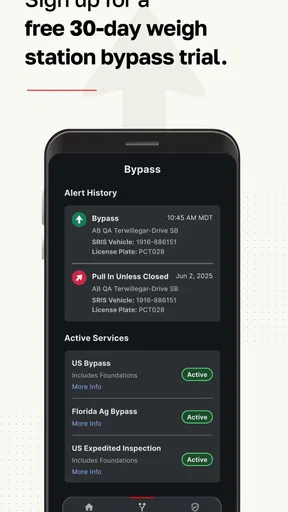
Drivewyze: Tools for Truckers is like that trusty co-pilot who's always got your back. It's an app designed specifically for truckers, focusing on providing bypass services and safety notifications to make your journey more efficient. The app promises to save time and fuel by helping truckers bypass weigh stations and inspection sites, all while keeping everyone safe and compliant.
Setting Up and Getting Started
Getting started with Drivewyze is a breeze. You just download the app from your favorite app store, and it’s available on both Android and iOS, so nobody gets left out. The installation process is straightforward, and you'll be up and running in no time. Once installed, you’ll need to create an account, which is also a simple process. The app guides you through setting up your vehicle profile, which is crucial for accurate bypass notifications.
Features That Make a Difference
Let’s dive into what makes this app a must-have for truckers:
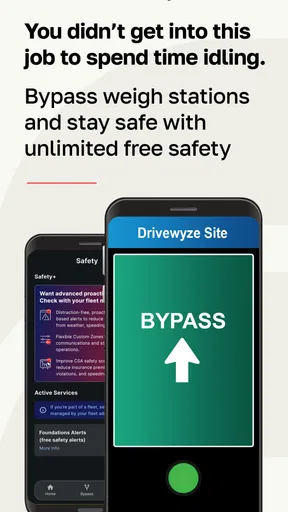
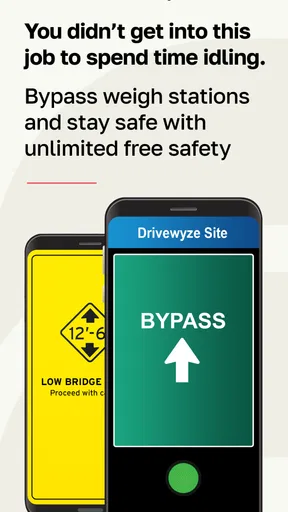
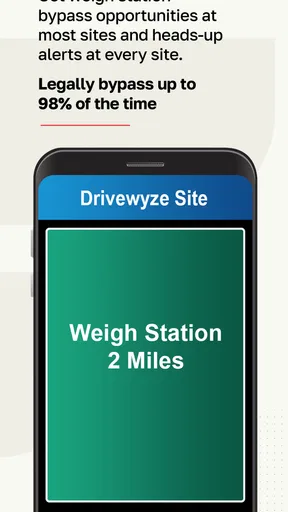
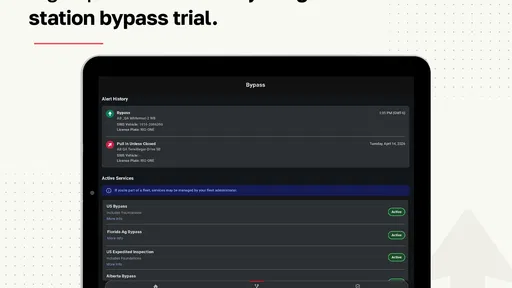
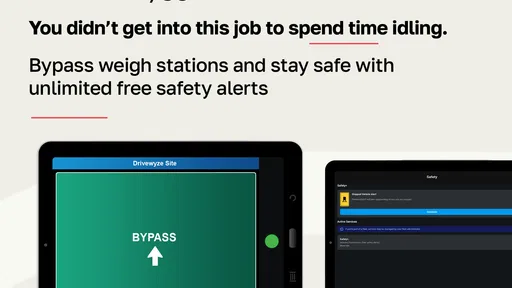
- Bypass Weigh Stations: This is the star feature of Drivewyze. With more than 800 sites across North America, you get real-time notifications to bypass weigh stations, saving you valuable time and gas.
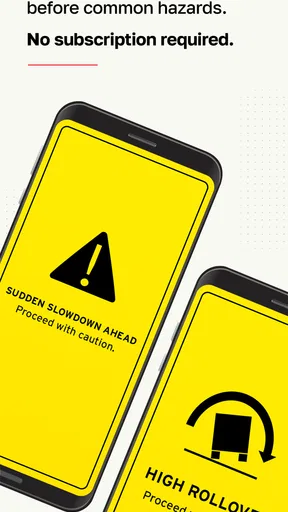
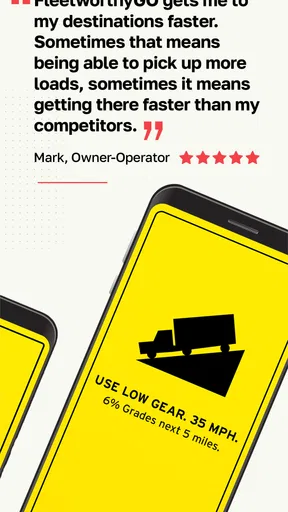
- Safety Notifications: The app provides in-cab alerts for upcoming areas like high-risk zones and low bridges. These alerts are precise and timely, keeping you prepared for what’s ahead.
- Easy Integration: If you’re already using fleet management software, Drivewyze integrates seamlessly, making it a perfect addition to your existing tools.
- Hands-Free: Safety is key, and Drivewyze knows it. All notifications are voice-enabled, so you never have to take your eyes off the road.
The Road Test
So, how does it fare in real-world conditions? Pretty darn well, I’d say. I took Drivewyze along on a long haul from California to Texas. The app worked like a charm, providing timely bypass notifications. It felt like having a personal assistant constantly checking the map for me. There were a few moments when the network connectivity dipped, but the app was quick to recover and get back on track.
The safety notifications were particularly useful when approaching tricky spots. It gave me a heads-up about a low bridge that I might have missed otherwise. I also appreciated the fact that it didn’t bombard me with unnecessary alerts. Everything was relevant and to the point.
Who Would Benefit the Most?
If you're a trucker who spends a lot of time on the road, this app is a game-changer. Fleet managers will also find it beneficial due to its easy integration with existing systems. It’s especially useful for those who operate in areas with a lot of weigh stations and inspection sites. The time saved on bypassing alone can add up to significant fuel savings, not to mention the reduced stress of fewer stops.
Final Thoughts
In the world of trucking, time is money, and Drivewyze: Tools for Truckers is here to save both. It's a well-thought-out app that delivers on its promises. From the ease of setup to the effective bypass and safety alerts, it’s a tool that every trucker will appreciate. So, if you’re looking to make your drives smoother and more efficient, give Drivewyze a spin. Who knew an app could make such a difference on the open road?
Pros
- Easy to integrate with existing systems.
- Saves time with bypass notifications.
- Enhances safety with real-time alerts.
- User-friendly interface for drivers.
- Reduces fuel consumption costs.
Cons
- Limited coverage in rural areas.
- Requires constant internet connection.
- Subscription fees may be high.
- Not all weigh stations are supported.
- Occasional app glitches reported.
FAQs for FleetworthyGO (Drivewyze)
What is Drivewyze and how does it benefit truckers?
Drivewyze is a mobile app designed for truckers to help them bypass weigh stations and inspection sites using their smartphone or tablet. By using GPS and cellular networks, it notifies drivers when approaching a site and whether they can bypass it, saving time and reducing fuel costs. The app aims to streamline the trucking experience and improve efficiency on the road.
Does Drivewyze require any specific hardware to function?
No, Drivewyze does not require additional hardware. It operates on Android and iOS devices, leveraging your smartphone or tablet's GPS and cellular capabilities. This makes it an accessible solution for truckers who want to avoid the hassle and expense of installing onboard equipment. Simply download the app to get started.
Is Drivewyze available nationwide, and does it cover all weigh stations?
Drivewyze offers coverage at over 800 sites across 45 states in the U.S. and several locations in Canada. While it does cover many major weigh stations and inspection sites, not all are included. Users can check the app’s coverage map to ensure their routes are supported, allowing for better trip planning and avoiding unexpected stops.
How secure is my data when using the Drivewyze app?
Drivewyze prioritizes user data privacy and security. The app uses encrypted communication to protect sensitive information, and does not track or store personal driving data outside of its operational needs. Users can feel confident that their information is handled with care, adhering to industry-standard security protocols.
What are the costs associated with using Drivewyze?
Drivewyze offers a free trial period, allowing users to test its functionality without commitment. After the trial, a subscription fee applies, which varies based on the chosen plan. The costs are designed to be competitive, providing valuable time-saving benefits that can outweigh the subscription price, especially for frequent drivers.


